
Incident Reporting · Core Module 05 /en/pages/shangbao

Report Emergencies, Hazards & Daily Shift Logs in One Tap

A high-visibility red reporting button on the guard app lets frontline staff submit photos, videos, and GPS locations in seconds—notifying managers immediately.

Photo + Video
One-tap incident & hazard upload
Instant Push
Real-time manager notifications
Audit Ledger
Permanent daily & weekly logs
Explore All 103 Features
Incidents — GuardsCloud live interface preview
✓ Live product demo: One-tap emergency escalation & instant manager alerts Web + Mobile Sync
BEFORE · LEGACY PAIN POINTS

Challenges of Manual Guard Management

  • ✕ Hazards and incidents posted in group chats get buried within minutes, making post-incident evidence retrieval impossible.
  • ✕ Without standardized categories and severity levels, HQ misses critical site emergencies.
  • ✕ Paper or verbal daily/weekly shift reports waste time and get lost easily.
AFTER · GUARDSCLOUD SOLUTION

GuardsCloud Digital Capabilities

  • ✓ Unified reporting portal categorized by fire, theft, altercation, water leak, etc., with permanent media archiving.
  • ✓ High-contrast red 'One-Tap Report' and 'Call Supervisor' buttons designed for effortless use under pressure.
  • ✓ Instant real-time alerts to site captains and managers alongside structured daily/weekly report tracking.
MODULE DEEP DIVE · WORKFLOWS & UI

Incidents · Real Workflows & System Previews

FEATURE 01 · INSTANT EMERGENCY ESCALATION

Submit Photos & Videos with GPS Tags—Alert Managers in Seconds

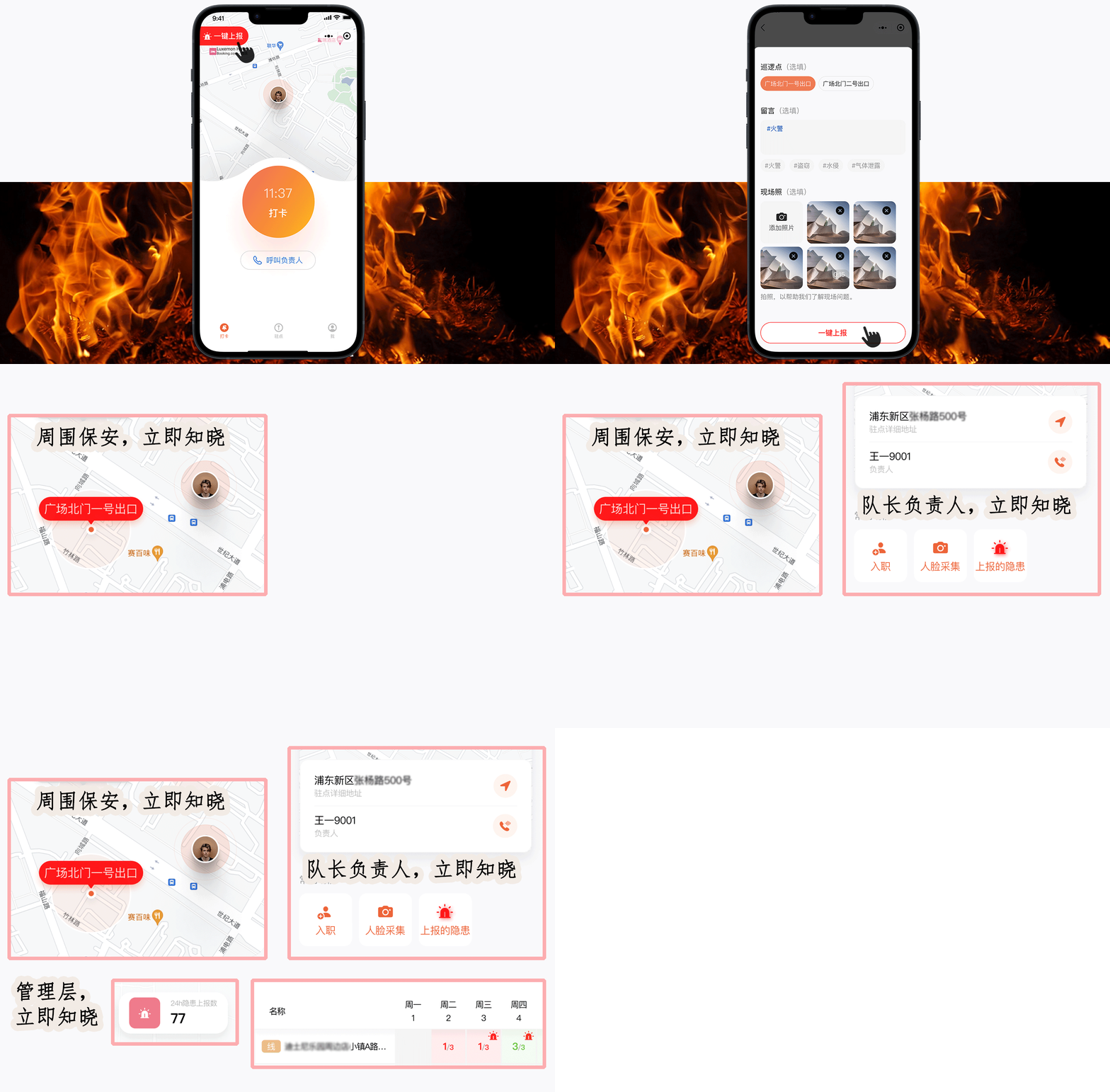
From the clock-in screen, guards tap the red report button to snap photos, record short videos, and attach exact GPS coordinates. Managers receive instant alerts during the critical response window.

✓ One-Tap Incident/Hazard Report✓ Live Photo & Video Evidence✓ Auto Timestamp & GPS Tag✓ Instant Manager Alerts
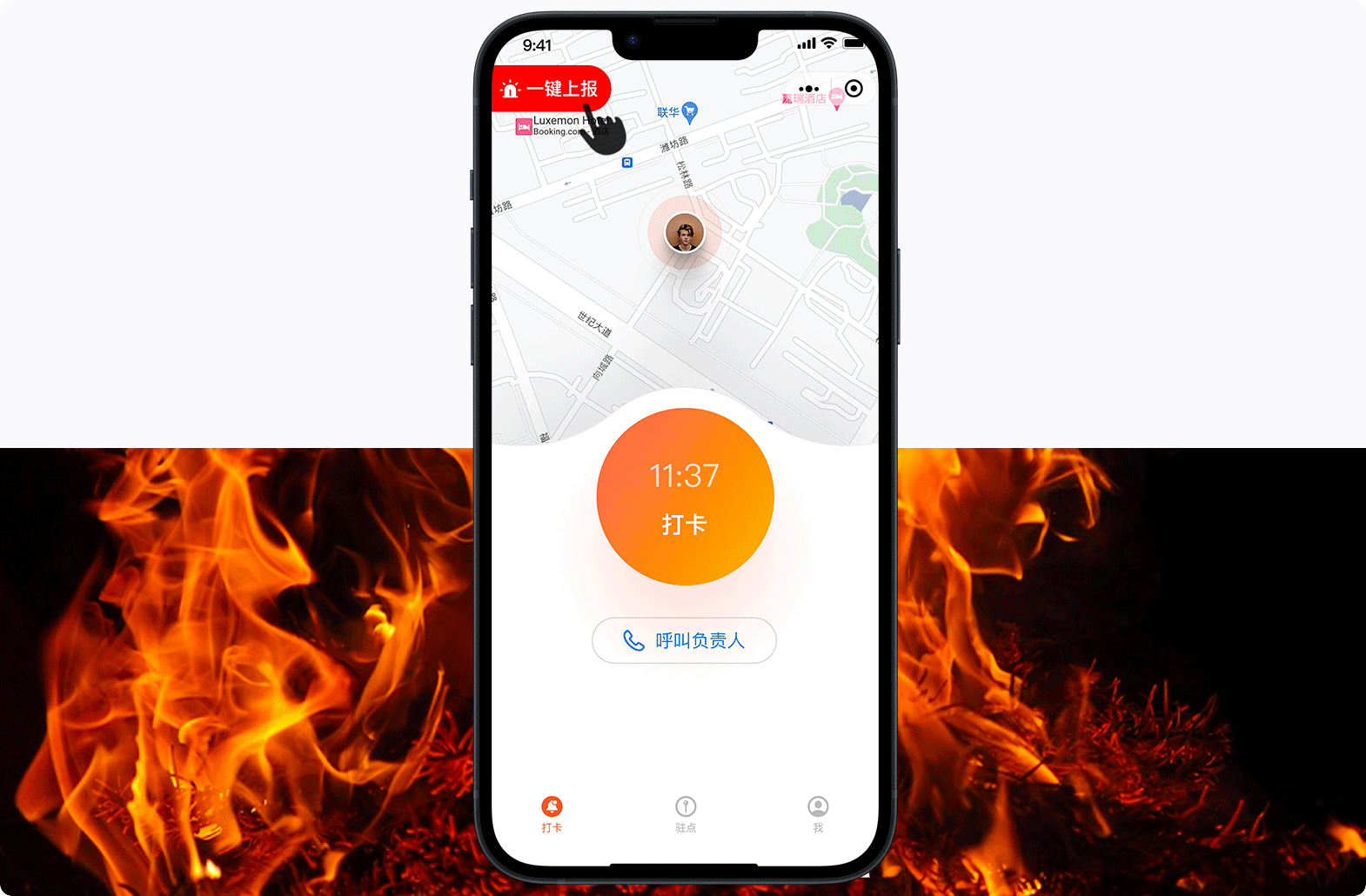
One-tap incident reporting and real-time alert demo
FEATURE 02 · SIMPLE UX & DIRECT CALL

Zero-Friction Reporting + One-Tap Supervisor Call

Replaces complex paper forms with large intuitive buttons. In urgent situations, guards can tap 'Call Site Manager' directly while every submission builds a permanent site safety ledger.

✓ High-Visibility SOS Entry✓ One-Tap Call Site Manager✓ Permanent Categorized Ledger✓ Daily & Weekly Shift Reports
Mobile one-tap report and direct supervisor call interface
FINE-GRAINED CAPABILITIES

9 Features Included in "Incidents"

View All 103 Features →

Emergency SOS Button

Prominent red one-tap alert button on the guard home screen for instant escalation

Category: 4. One-Tap Incident Reporting & Field Supervision

One-Tap Supervisor Call

Direct call to the site manager or 24/7 duty officer during emergencies

Category: 4. One-Tap Incident Reporting & Field Supervision

In-App Team Messaging

Coordinate rapidly among guards, captains, and HQ during incident resolution

Category: 4. One-Tap Incident Reporting & Field Supervision

Automated Alert Notifications

Push instant mobile/message alerts to managers upon incident or audit deductions

Category: 4. One-Tap Incident Reporting & Field Supervision

Incident Severity Levels

Categorize incidents by fire, theft, altercation, flooding, gas leak, and more

Category: 4. One-Tap Incident Reporting & Field Supervision

Urgency Classification

Distinguish minor hazards, major incidents, and emergencies with SLA tiers

Category: 4. One-Tap Incident Reporting & Field Supervision

Structured Incident Forms

Capture photos, short videos, descriptions, and GPS coordinates consistently

Category: 4. One-Tap Incident Reporting & Field Supervision

Real-Time Escalation

Notify management the second an incident is submitted for rapid response

Category: 4. One-Tap Incident Reporting & Field Supervision

Incident Ledger

Maintain a complete digital trail from initial report to resolution and closure

Category: 4. One-Tap Incident Reporting & Field Supervision
Whats
App
WhatsApp ↗
1-on-1 Security Solutions Advisor

Book a Live Demo & Get Multi-Role Trial Access

Within 15 minutes of submission, our team will provision a full sandbox with Web Console + Supervisor App + Guard App + Client Portal.

Scan to chat on WhatsApp
Scan to Chat on WhatsApp
Open WhatsApp Chat ↗
  • ✓ All 12 modules & 103 features unlocked
  • ✓ Includes custom RFP & deployment guide
Sales Hotline: +86-13667186185
Support Line: +86-13667186185
WhatsApp: Chat Directly ↗

Book a Product Demo / Request Free Trial

Fill in your details below. Fields marked * are required and kept strictly confidential.